The First Time I Designed for AI (and Had No Idea What I Was Doing)
Nov 2, 2025
When my former company, Graswald, decided to pivot toward AI in 2023, I had no idea how profoundly it would reshape how I think about design, products, and people.
At the time, I was a Product Designer helping build tools for 3D artists. One day, we were redesigning our storefront, fighting churn and improving user experience; the next, we were designing intelligent systems.
We’d seen it: AI wasn’t just another tool for 3D artists, it was about to redefine how they worked entirely. What started as a storefront for 3D assets needed to become something more intelligent, serving a different market. Overnight, the familiar structure of our product began to dissolve into something more complex, and honestly, more exciting.
The transition wasn’t smooth. I remember opening my browser tabs, “What exactly is AI design?” “How do you design for AI?” “What’s a model prompt?” “Can an interface really be conversational?” and feeling like I’d stumbled into a discipline that didn’t have a textbook yet. Everyone was figuring it out in real time.
The stakes were real. We were a small team betting our product’s future on a technology most people barely understood. Get it wrong, and we’d alienate the community we’d spent years building. Get it right, and we’d be at the forefront of how creatives work with AI (super proud of where the company is now — Graswald.ai)
I started taking courses in HCI on Udemy, reading articles, following early AI design conversations on Twitter, and testing AI tools that felt half-magic, half-mess. It was like standing at the edge of a new world without a map, thrilling and disorienting all at once. The vocabulary itself was unfamiliar. Tokens. Nerfs. Training the model. Context windows. Hallucinations. Temperature settings. I was learning a new language while trying to design in it.
But here’s what saved me: I leveraged my team, resources, and my circle. I have a friend, Michael, who let me bug and disturb him whenever I hit a roadblock. He helped point me to resources, was there to listen to my rants, and patiently answered questions that probably seemed obvious to him. He even taught me how to use Cursor, which eventually led me to build my own plugin. More on that in my next article. The lesson? Don’t learn alone. Find your Michael. Someone who’s a few steps ahead and willing to pull you forward.
We were building in the dark, experimenting, trying to make our vision of an “AI-assisted creative tool” make sense. Inspired by Apple, we even experimented with monochromatic systems and glassmorphism. The team debated everything from font weights to tone of voice, and I remember thinking: so this is what it feels like to design something that doesn’t quite exist yet. We were inventing patterns as we went. When should the AI suggest versus execute? How do you communicate confidence levels without paralyzing the user with uncertainty? What does “undo” even mean when the system generated something you never explicitly asked for?
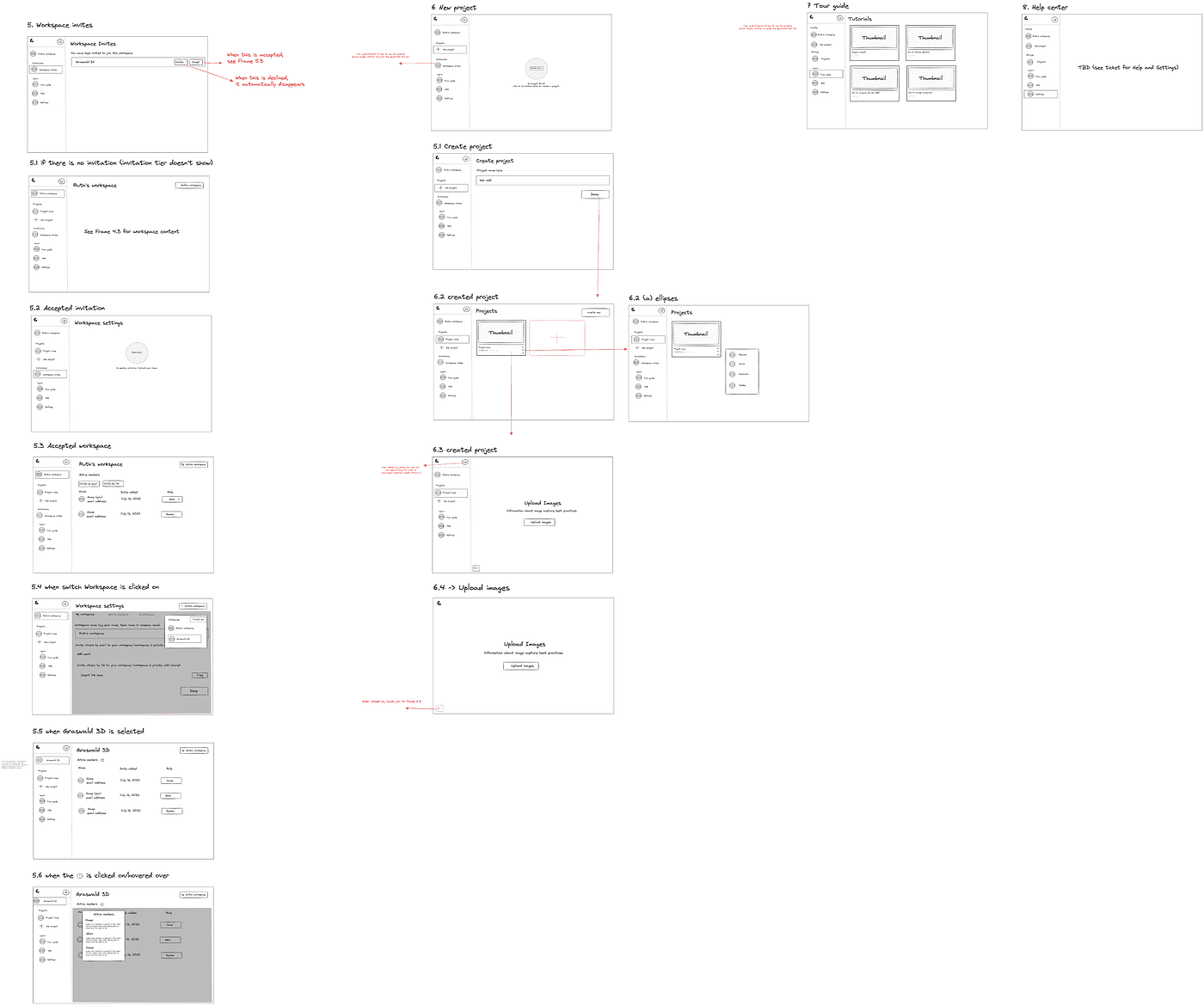
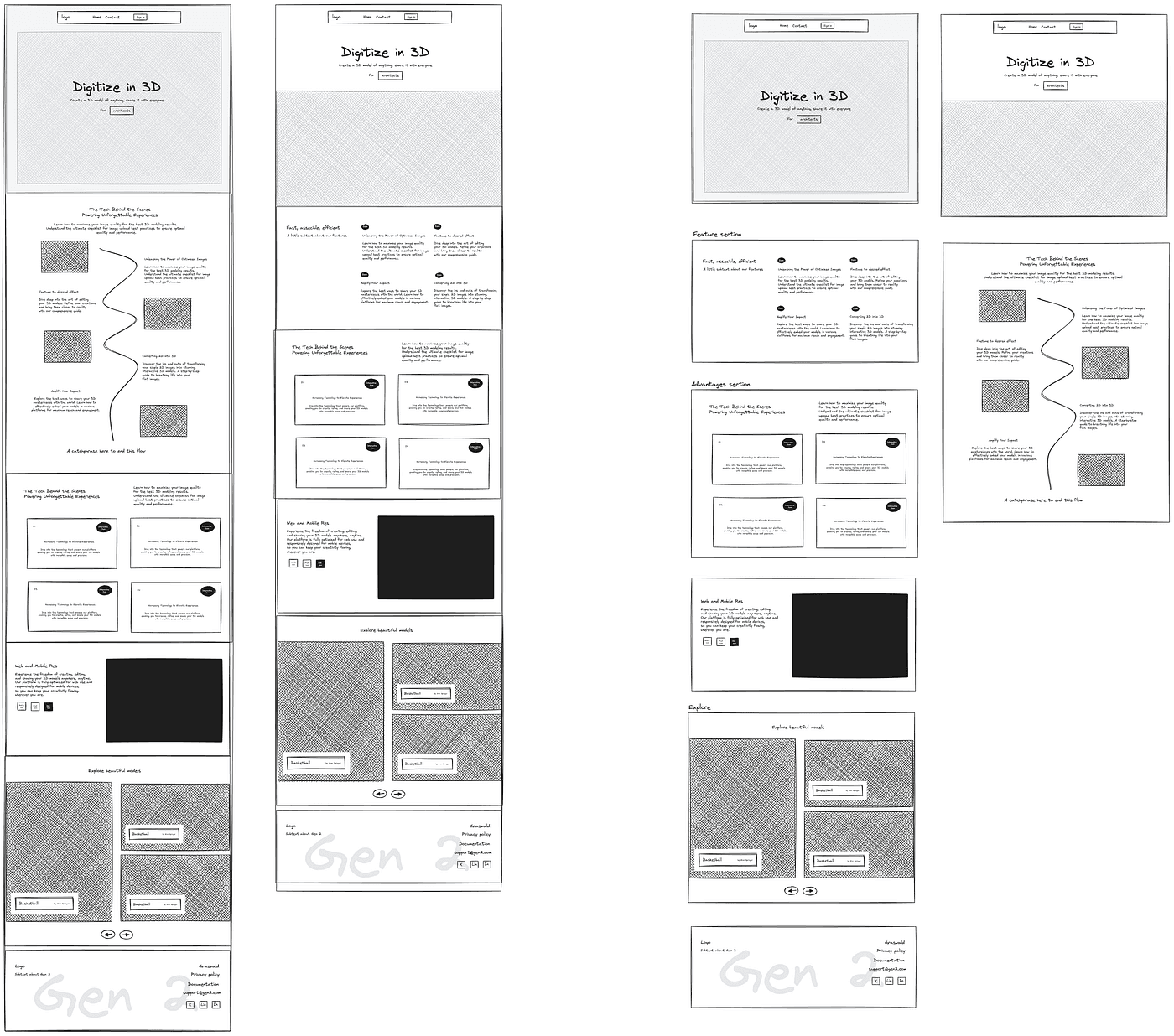
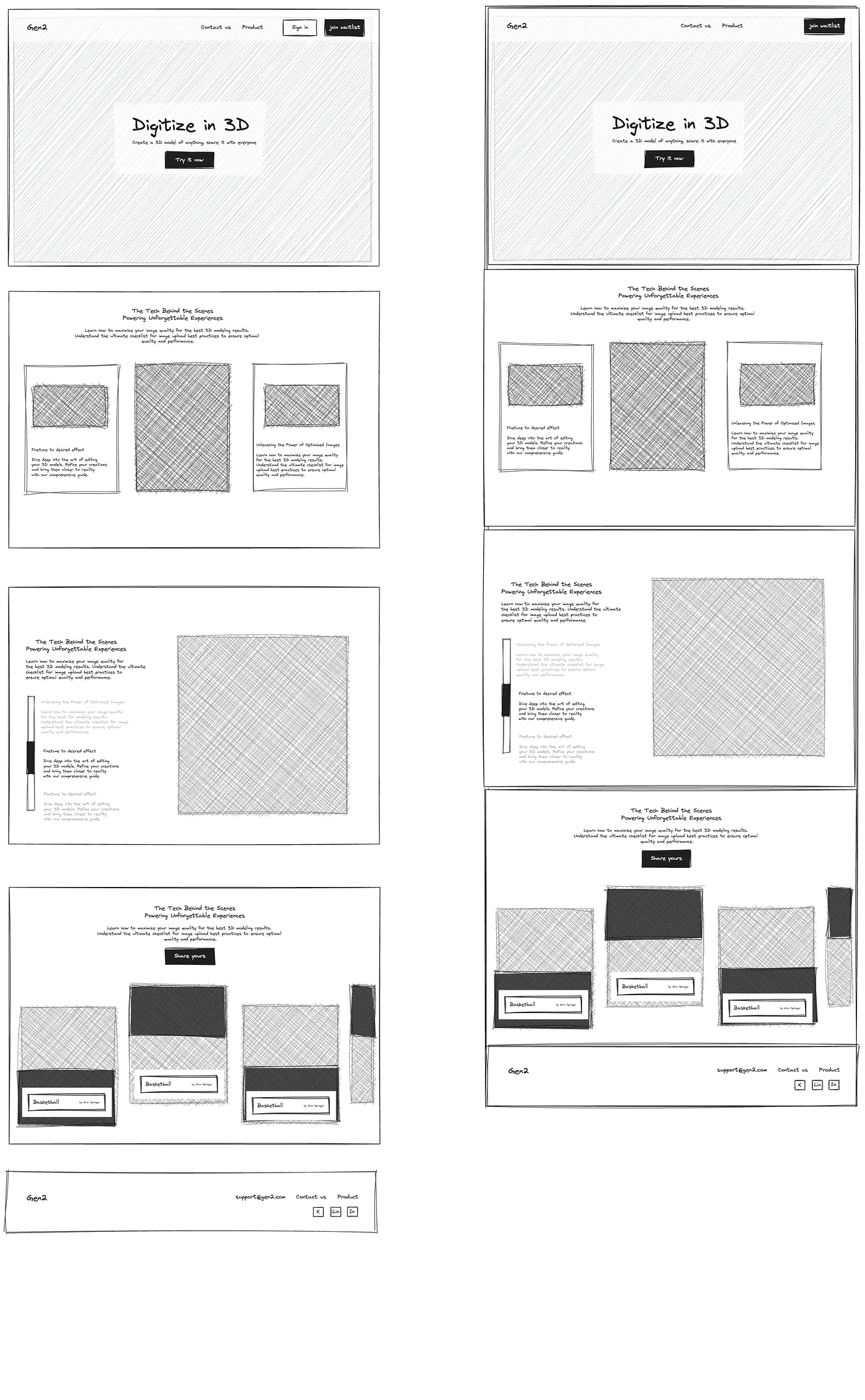
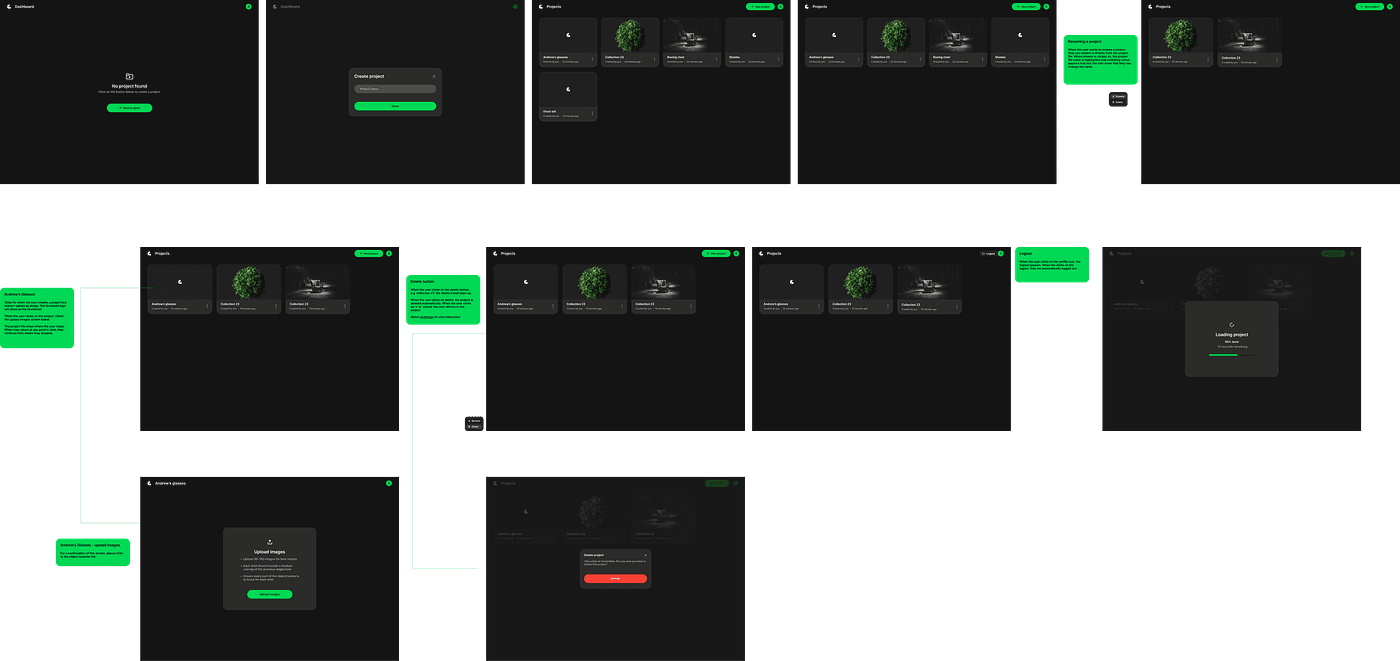
It took months just to understand what to even design. Early mockups and prototypes, some of which I’ll share, were exercises in getting it wrong. We designed interfaces for problems that didn’t exist yet, created flows that assumed too much or too little, built features that looked intelligent but felt clumsy. The screens tell the story better than I can: a designer learning in public, one failed iteration at a time.
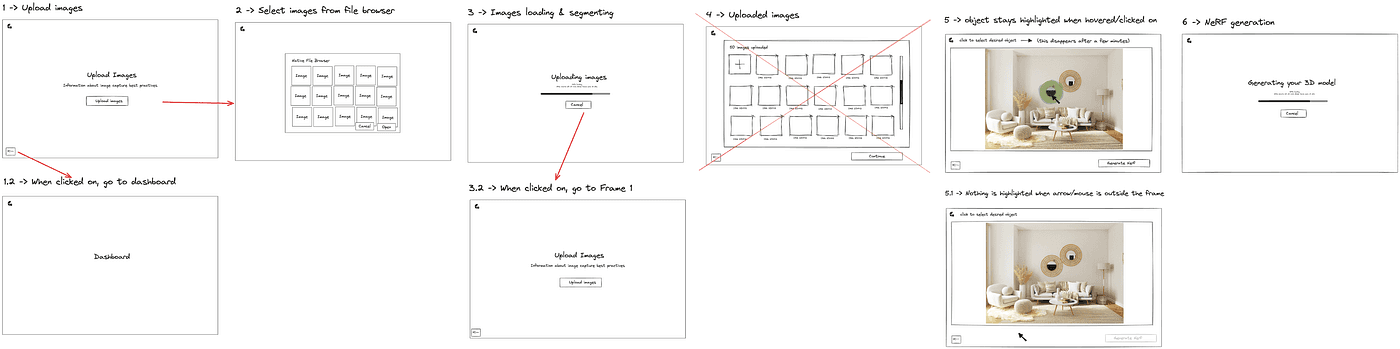
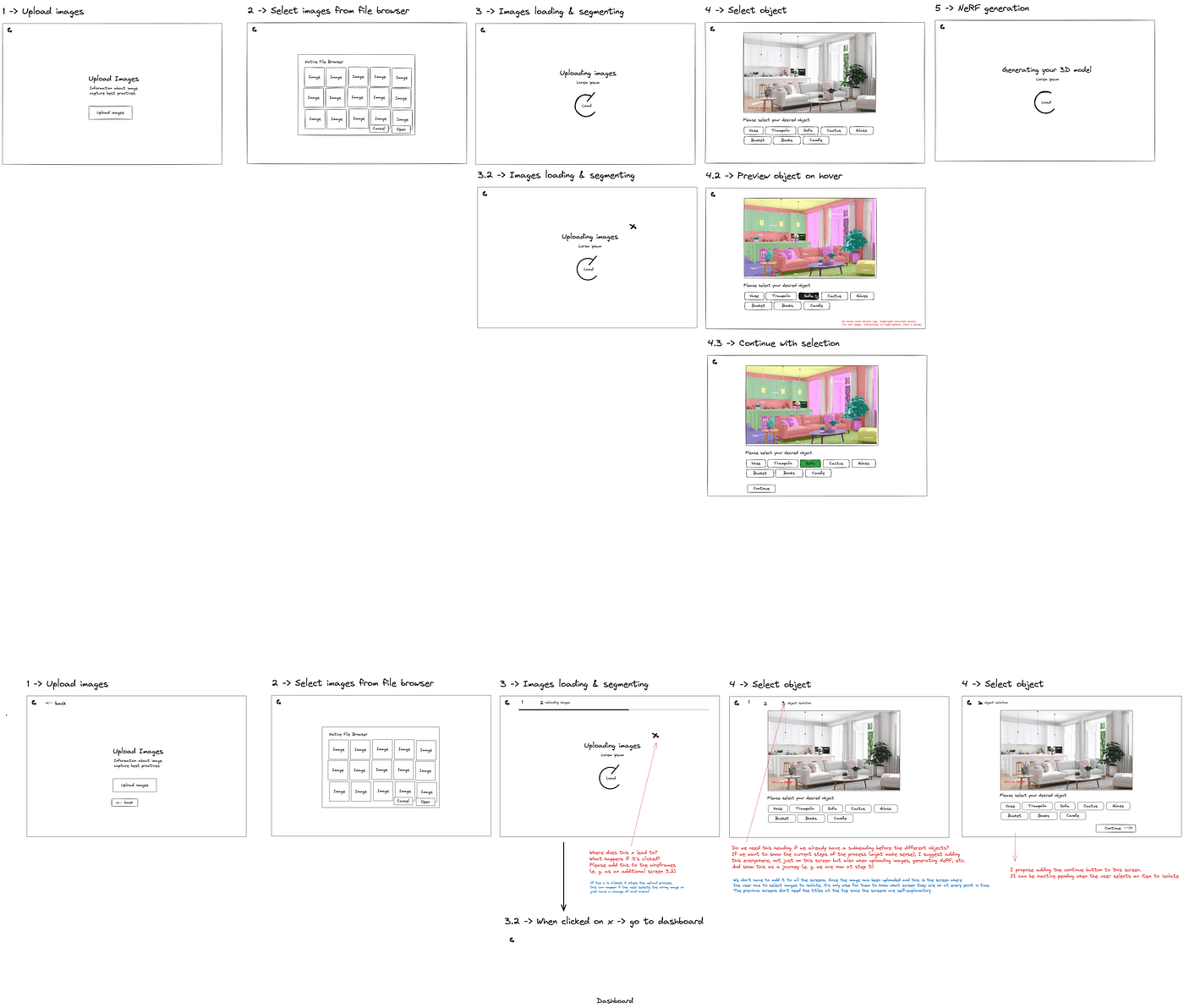

Wireframes done in Excalidraw: Viewer
Wireframes done in Excalidraw: Workspace settings
Wireframes done in Excalidraw: Website iteration 1
Wireframes done in Excalidraw: Website Iteration 2
Now, looking back from 2025, I can smile at that version of me, wide-eyed, half-lost, and completely absorbed. The questions we struggled with then are now foundational principles. The experiments we ran are now documented patterns.
I didn’t fully grasp how vast and fast the AI landscape would become. Back then, ChatGPT was still new. Midjourney was blowing minds. We thought we were early, but we were actually witnessing the ignition point. Today, I’ve designed for AI products across fintech, productivity, and emerging creative tools, from agentic browsers that think with you, to assistants that learn your patterns, to voice-to-draft apps that transform how people express themselves. Each product forced me to reconsider what “design” even means when your canvas is behavior, not just pixels.
And each time, that same spark from 2023 returns, the mix of curiosity and awe. The feeling that you’re not just designing a product, but participating in a shift in how humans and technology relate to each other.
Press enter or click to view image in full size
MVP screens
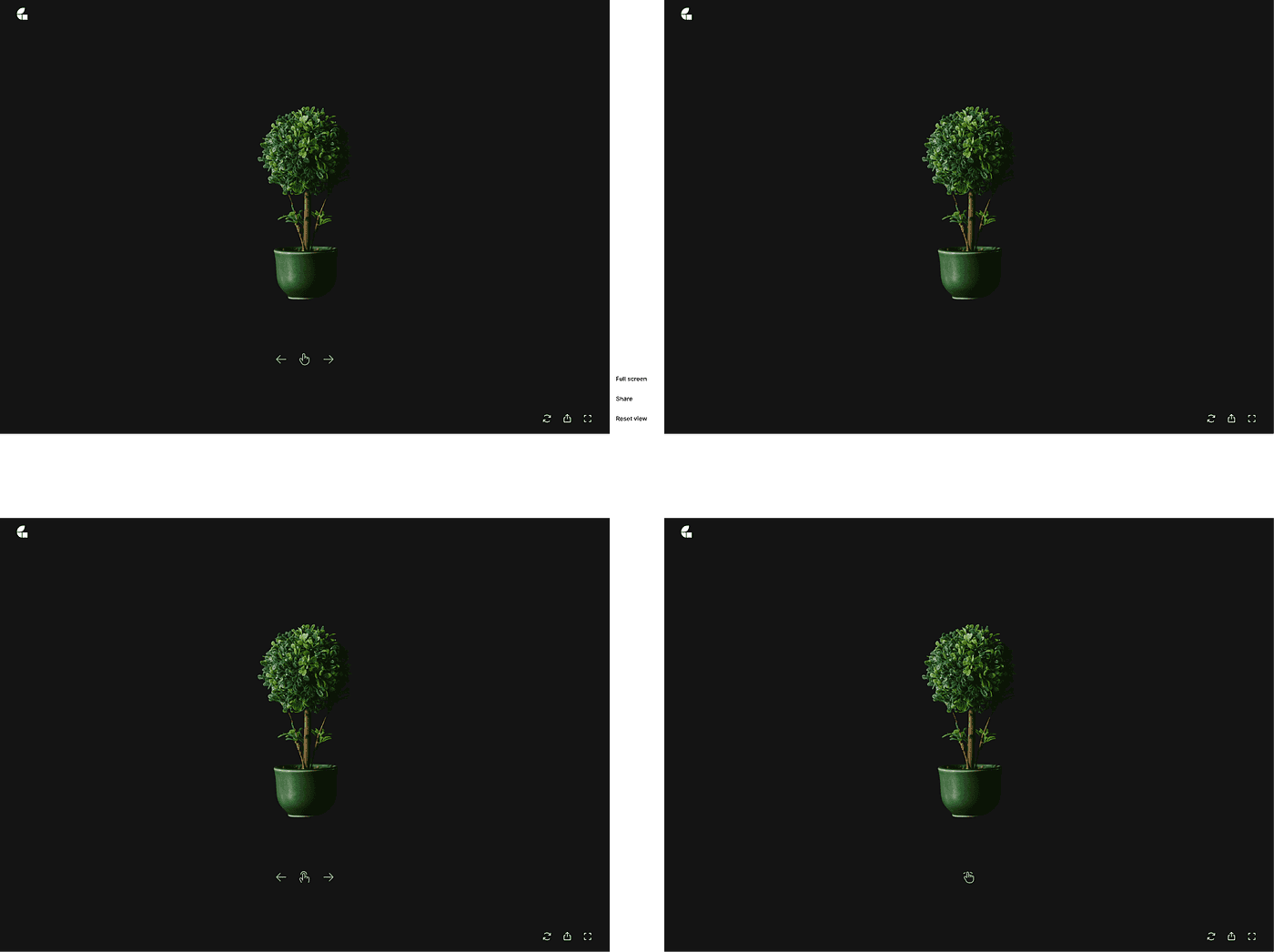
Viewer screen
Designing for AI isn’t so different from designing traditional products, but it feels different. The rules blur. You’re no longer designing just for interaction, but for intelligence. Or more accurately, for the perception of intelligence, which is a far more delicate thing.
You think about trust and transparency: how much should the user see of what the AI is doing? Show too much, and you overwhelm them with technical noise. Show too little, and they don’t trust the output. You’re designing the right amount of visibility into a black box.
You think about predictability and control: when should the system take initiative, and when should it wait? Traditional UX taught us to give users control. AI design asks: what if the system knows better? And how do you handle that without being patronizing? It reminds me of something I learned in film: show, don’t tell. In film, I learned that the best storytelling happens when the audience feels something before they understand it. The same applies here. Instead of announcing what the AI is doing, you show its value through action. The system doesn’t declare “I’ve analyzed your preferences,” it just surfaces the right option at the right time. The intelligence should be felt, not explained.
You think about tone and emotion: what does it feel like when a system speaks to you? Is it confident or cautious? Formal or conversational? Does it apologize when it’s wrong, or does that make it seem less capable? Every word matters, because the interface is the intelligence.
You think about learning loops: how does the product evolve as it learns from real people? And how do you show that evolution without making users feel surveilled? There’s a fine line between “personalized” and “creepy.” You’re constantly balancing automation with agency, helping users feel supported, not replaced.
At its core, my approach hasn’t changed. I still start with the same questions: What’s the problem? Who is this for? How can we make this feel human? But the answers have become more textured.
Whether it’s a loan recommendation, a creative suggestion, or a financial insight, it’s always about designing understanding, making complex systems feel simple, intuitive, and trustworthy. It’s about choreographing the dance between what the machine can do and what the person wants to do. Sometimes you lead. Sometimes you follow. The art is knowing when to switch.
AI has changed everything, yet the essence of design, empathy, clarity, and intent, remains constant. The tools have evolved. The surfaces have multiplied. But the goal is still the same: reduce friction between intent and outcome. Help someone do what they’re trying to do, better and faster than before.
I’m grateful that my first step into this space came through confusion, not certainty. It taught me that the best AI design doesn’t start with algorithms; it starts with curiosity. It starts with asking uncomfortable questions: What if this fails? What if it works too well? What does it mean to design something that changes every time someone uses it?
And I can’t wait to share more of what I’ve been building since that first leap, the lessons, the interfaces, the experiments, the mistakes that became insights, and how each one continues to challenge and inspire me. Because two years designing with and for AI, I’m still learning. Still confused sometimes. Still excited. And that’s exactly where I want to be.
For anyone starting their own journey into AI design, here are some resources that have been helpful to me:
Learning AI Design Fundamentals:
Nielsen Norman Group’s AI UX Guidelines — Research-backed principles for designing AI experiences
Google’s People + AI Guidebook — Practical patterns for human-centered AI design
Apple’s Human Interface Guidelines for Machine Learning — Platform-specific AI design patterns
AI Design Patterns:
Material Design — AI Patterns — Core patterns for AI interfaces including transparency, control, and feedback loops
Laws of UX — Fundamental principles that apply to AI interfaces
Prompt Engineering & Technical Understanding:
OpenAI’s Prompt Engineering Guide — Official guide to crafting effective prompts
Anthropic’s Prompt Engineering Tutorial — Interactive learning for prompt design
Community & Continued Learning:
UX Collective on Medium — Regular AI design case studies and thought pieces
Lenny’s Newsletter — Product strategy and AI product thinking
Whether you’re learning to design for AI or designing with AI, I hope these resources help light your path forward. And remember: leverage your circle. Find someone who’s willing to answer your questions, point you in the right direction, and be there when you need to rant about hallucinations and temperature settings. It makes all the difference.